
Comparison · 8 min read
Echo Flow vs. macOS Built-In Dictation: The Gap Is Bigger Than You Think
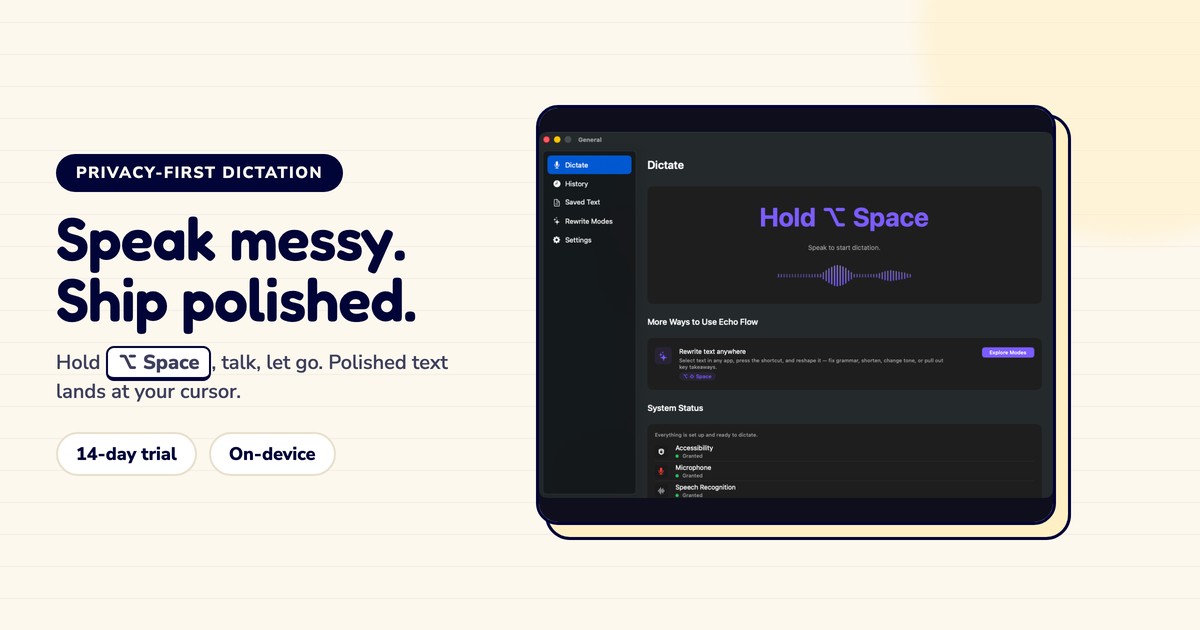
I spent three years using only the built-in macOS dictation. Press Fn twice, speak, words appear. Free, built-in, no setup. I thought that was enough.
Then I dictated a client email that started with "um, so like, just circling back on that thing we talked about." And macOS happily typed every single "um," every "like," every false start. I stared at that mess and thought: this is exactly what I would never send to a client, but here it is, word for word.
That was the day I realized transcription isn't the same as writing.
Here's what built-in dictation actually does well: it turns your voice into words. Press Fn twice, speak, and macOS writes down what you said. On Apple Silicon Macs, much of this runs on-device, which is great. The accuracy is solid for plain prose.
But transcription is where it stops. The words arrive exactly as you spoke them. The "ums," the run-on sentences, the phrasing you'd never actually send. What you get is a raw transcript. What you usually want is a finished sentence.
I remember dictating meeting notes once , just for myself, nobody else would see them. Even I couldn't read them back. "Okay so the thing with the client is like they want to move the timeline but also the budget is tight so maybe we should..." Who wrote that? Oh right, me. But I still couldn't parse my own thoughts.
This is the gap Echo Flow is built to close. After transcription, it runs the text through a polishing chain that cleans up disfluencies, fixes writing, and adjusts tone , locally, in a fraction of a second.
The difference between a raw transcript and polished text? It's the difference between "um, just following up on this thing, like, can we move the meeting" and "Following up — can we move the meeting to Thursday?" One is what you said. The other is what you meant.
I timed myself once. Editing a 5-minute dictation into something sendable took me 12 minutes. Twelve minutes of fixing my own words. Now Echo Flow does most of that in the time it takes me to reach for my coffee.
Here's where the gap gets wider. Built-in dictation produces one kind of text, whether you're writing in Mail, Slack, Notes, or a code comment. But the sentence you dictate should not land the same way everywhere.
I found this out when I dictated the same thought in Slack and in a client email. In Slack it was fine , casual, quick. In the client email? It read like I was texting my buddy. Not great.
Echo Flow's Smart Context reads the app you're writing in and adjusts the tone accordingly , more professional in your email client, more casual in your team chat. Your words stay your words; the polish adapts to the destination.
Built-in dictation has no memory of your vocabulary. Every session starts from scratch, which means every session mis-spells your product names, your client names, and the technical terms you actually use. You correct them by hand, over and over.
I have a client named "Synthflow" , not "Synthesis," not "Synthesize," but "Synthflow." Built-in dictation got it wrong every single time for three years. Every. Single. Time.
Echo Flow keeps a personal dictionary of the terms you want protected. Add a term once and it stays right across sessions. For anyone who dictates in a specialized vocabulary , medicine, law, engineering, finance , this is not a nice-to-have. It's the difference between a tool that learns your language and one that makes you repeat yourself.
If you mostly dictate quick, throwaway messages and you do not care how polished they sound, built-in dictation probably covers you. Echo Flow is for the people who dictate emails, documents, and client work, and who are tired of retyping their own thoughts.
This post would be dishonest if I pretended built-in dictation has no advantages. It's free. It requires no setup, no permissions, no download. For a user who occasionally dictates a reminder or a short message, it's the right tool, and Echo Flow would be overkill.
I still use built-in dictation for quick "remind me to buy milk" moments. It's perfect for that. The case for Echo Flow gets stronger as your writing gets more serious: client emails, long-form drafts, technical documentation, medical notes, legal work , the kinds of writing where "accurate enough" is not accurate enough and a raw transcript is a starting point, not a deliverable.
Built-in dictation transcribes your voice. Echo Flow transcribes your voice, then polishes the text, adjusts the tone to the app you're in, and remembers the words that matter to you. If you're fine with a transcript, stick with what your Mac already gives you. If you want finished text, that's the gap.
I made the switch. I haven't looked back.
Try Echo Flow free for 14 days · Read how polishing works · See all comparisons
Sources