
Why Private Dictation Is Not a Microphone Feature
Two dictation apps can produce the same sentence. One records audio, transcribes locally, polishes on-device, previews the result, and pastes into Mail. The other records audio, uploads it for transcription, sends text to a cloud model for cleanup, stores a history entry, and pastes the same sentence.
To the user, both look successful. To a privacy review, they are completely different animals.
I found this out when I asked a dictation vendor where my audio went. They said "secure cloud processing." I asked where my text went for polish. Same answer. I asked where history was stored. You guessed it. That's not a local writing workflow. That's a data-processing chain wearing a friendly icon.
Cloud dictation
Convenient but exposed
- Strong polish quality
- Cross-device sync
- Audio leaves your Mac
- Text leaves your Mac for polish
- History stored on servers
Private dictation
Local by design
- Audio stays on your Mac
- Text stays on your Mac
- History stored locally
- Mac only
- No cross-device sync
What generic privacy copy hides
Generic copy says: "Your data is secure." Reference-grade copy says: audio stays on device for transcription; polished text is processed locally; history is stored in this folder or database; permissions are used for these actions; no content is used for model training.
The first statement is soothing vapour. The second can be checked.
The NIST Privacy Framework is useful here because it treats privacy as risk management, not brand mood lighting. I started asking vendors specific questions after I realized "secure" means nothing.
✓
Where does audio go? Local transcription or cloud upload?
✓
Where does text go for polish? On-device or cloud model?
✓
Can you preview before paste? Human checkpoint matters.
✓
Where is history stored? Local folder or cloud database?
✓
What permissions are required? Each should have a clear job.
The minimum definition of private dictation
Private dictation is a workflow in which spoken audio and dictated text are processed locally by default, with any external processing made explicit before it happens.
That definition excludes a lot of "privacy-first" confetti. It also gives buyers a clean test.
Ask where audio goes. Ask where AI polish happens. Ask whether history syncs. Ask what happens when the app cannot paste. If the answer requires a trust-centre pilgrimage, put the biscuits down and leave.
I asked these five questions to three vendors. One gave straight answers. Two sent me to their trust center. I bought from the one who answered directly.
Transcription and polish are separate risks
Apple's Speech framework makes local speech recognition possible for Mac apps. That solves one part of the problem. It does not automatically solve polishing, rewriting, summarising, or history.
A dictation app may transcribe locally and still send text elsewhere for "AI improvement." That is not a small footnote. It is the bit where your rough customer reply becomes prompt material.
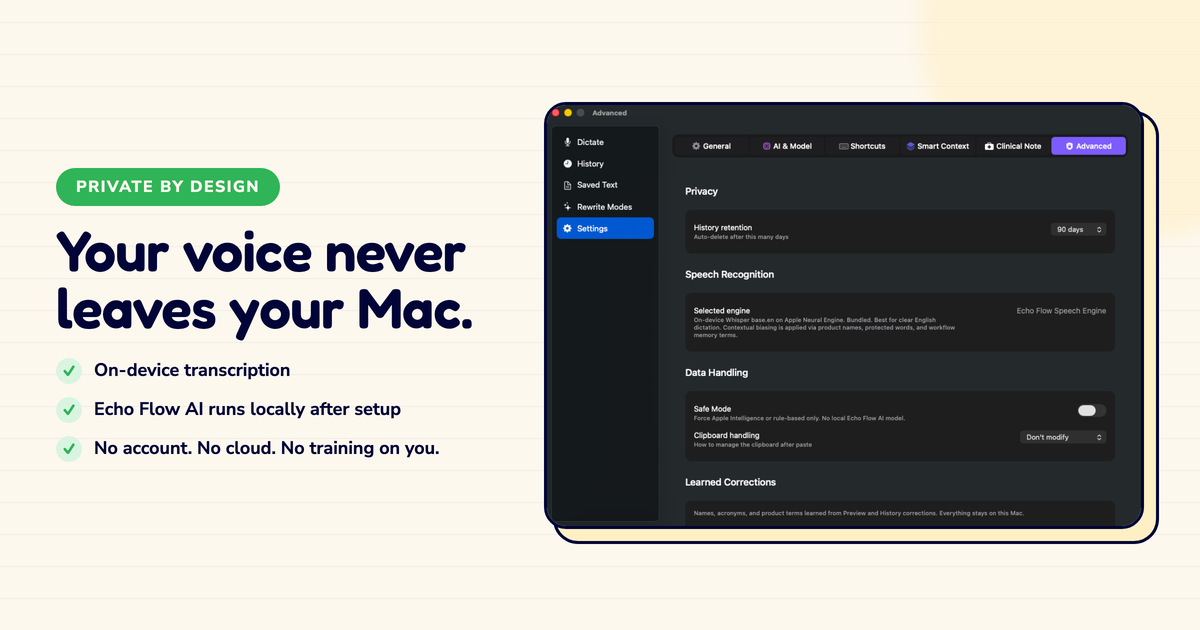
Echo Flow is designed around the safer default: local speech recognition, Echo Flow AI running locally after setup, selected-text rewrite, and preview when you want a human checkpoint.
2
Separate risk points , transcription and polish , that can be local or cloud. Check both.
Permissions should read like a contract
Microphone permission lets the app hear a deliberate recording session. Speech Recognition lets macOS transcribe. Accessibility lets the app paste or replace text where your cursor already sits.
Apple's microphone permission guide shows how users control microphone access; good onboarding should be just as plain. "Enable productivity magic" is not plain. It is a fog machine.
If an app needs a powerful permission, it should say the exact job that permission performs. I check permissions before I install anything now. It takes ten seconds and has saved me from three apps that wanted more than they needed.
The honest note
History is useful because dictated text often becomes reusable material: notes, snippets, support replies, meeting recaps, awkward emails rescued from oblivion. History is risky because it stores the very text people forget they created. The right design is not "no history ever." That is monk software. The right design is local, visible, searchable, and clearable history.
The local-history trade-off
IBM's Cost of a Data Breach report is a grim reminder that stored data becomes expensive when mishandled.
I use local history daily. It's how I find that snippet I dictated three weeks ago, or check what I said in last month's review. But it stays on my Mac. I can see it, search it, clear it. No server. No sync. No "we value your privacy" footer while they store my drafts.
A buyer checklist that actually works
Ask five questions: Does audio leave the Mac? Does text leave the Mac for polish or rewrite? Can users preview before paste? Where is history stored? What exact permissions are required?
A serious product answers without interpretive dance. Echo Flow's fit is strongest where the content is ordinary enough to dictate often and sensitive enough that a cloud detour feels daft: client notes, product strategy, legal drafts, founder updates, support replies, and internal documentation.
I ask every dictation vendor for the data path before I ask for the demo video. The ones who answer directly earn my attention. The ones who don't, don't.
The bottom line
Private dictation is not a vibe. It is a set of boring, testable claims about audio, text, permissions, history, and paste behaviour. The boring part is the point.
If the workflow is explicit and local by default, people will use it on real work. If it is vague, they will either avoid it or use it badly. Neither helps.
Try Echo Flow free for 14 days · How local polishing works · Why on-device dictation
Sources
- NIST Privacy Framework: treats privacy as risk management.
- Apple Speech framework: makes local speech recognition possible.
- Apple microphone permission guide: how users control microphone access.
- IBM Cost of a Data Breach report: stored data becomes expensive when mishandled.
- Echo Flow's architecture: local transcription, local polish, local history, preview before paste.