
Rewrite Palette · 8 min read
Why Selected-Text Rewriting Belongs in the App, Not the Chatbot
I used to write every email like this: draft it in Mail, switch to a chatbot tab, paste the text, type "make this sound professional," wait for the response, read it, tweak it because it didn't quite sound like me, copy it, switch back to Mail, paste it over the original.
Six steps to fix one sentence. I did this maybe twenty times a day. That's a hundred context switches I wasn't counting.
Then I tried selecting the text, clicking "sound professional," and watching it replace in place. Two steps. I actually laughed out loud. Not because it was funny, but because I'd been doing the hard version for months without questioning it.
Defenders of the chatbot model will say it's faster than I'm making it sound, and they're partly right , the AI responds quickly. The time you notice is not the AI's response time. The time you notice is everything around it.
You had a draft open. You switched to another app, or opened a sidebar, or opened a browser tab. Now your draft is somewhere behind the AI tool, out of focus, and when the polished text arrives you have to carry it back to where you were.
That switch costs attention. You were composing a thought; now you are managing a workflow. And managing a workflow is the exact thing you were trying to avoid by using voice and AI in the first place.
I tracked it once. A week of chatbot-style rewriting: average 45 seconds per sentence, including the context switching. A week of in-place rewriting: average 8 seconds. The AI wasn't faster. The workflow was.
The rewrite palette gives you a fixed set of actions instead of a blank prompt box, and that's a deliberate choice. When you have a blank prompt box, you have to decide how to phrase your request, wait to see if the AI understood, and iterate. When you have a palette of specific actions, you just pick the one that matches what you meant.
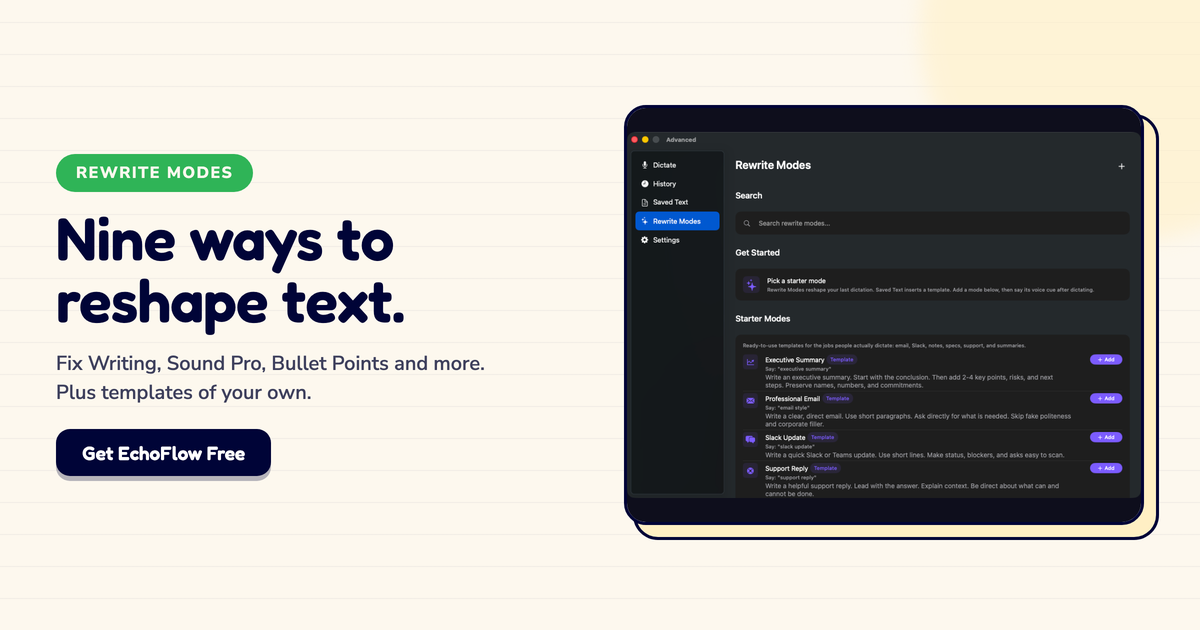
Echo Flow's actions are: fix writing, make shorter, make longer, sound professional, sound friendly, sound confident, turn into bullet points, extract key takeaways, keep original. That covers the vast majority of what you actually want to do to a sentence, and because the actions are fixed, they are fast and predictable.
I'll be honest: I was skeptical about the fixed palette at first. "What if I want something specific that's not in the list?" But after a month of using it, I realized I almost never wanted something outside those nine actions. And when I did, I could just edit the result by hand , which is faster than prompting anyway.
If in-place rewriting is better, why do so many tools use the sidebar model? Two reasons, neither of them about your experience.
First, the chatbot model is what venture capital expects to see. It looks like AI. It demos well. It has a typing indicator and a stream of tokens, and that reads as "advanced." A button that replaces a sentence with a better sentence looks simple, even though simple is what you want.
Second, the chatbot model keeps you in the tool. If your draft lives in the AI app, you are more likely to stay there, use more features, and become a recurring user. If the AI quietly improves a sentence in your email client and gets out of the way, you do not think about the tool at all , which is great for you and less great for engagement metrics.
I noticed this when I stopped opening the chatbot tab. My screen time in the AI app dropped to almost zero. But my output went up. I was using it more, just not staring at it.
The chatbot model is better for some jobs, and I am not going to pretend otherwise. If you want to brainstorm ten subject lines, compare angles for a pitch, or explore ideas you have not formed yet, a chat interface is genuinely useful. The sidebar is for exploration. The palette is for execution. The mistake is using the same tool for both.
Here's the split I landed on, and it's the honest reason Echo Flow looks the way it does.
Use the chatbot model when you do not yet know what you want to say. Brainstorming, exploring, comparing options , these benefit from a back-and-forth with a model, and the context switch is worth it because you are in thinking mode.
Use in-place rewriting when you already know what you want to say and just want it said better. Polishing a sentence, adjusting tone, restructuring a paragraph , these are execution tasks, and for execution you want the fewest steps between intention and result.
I brainstorm with a chatbot. I execute with a palette. The mistake I made for months was using the chatbot for both.
Most AI writing tools optimize for the demo. The rewrite palette optimizes for the daily use case, which is: I have a sentence, I want it different, and I want to keep writing.
Six steps is a workflow. Two steps is a reflex. I built Echo Flow for the reflex because that's what I actually use, twenty times a day, every day.
Try Echo Flow free for 14 days · See the rewrite palette · Read about context-aware dictation
Sources