
Why Voice Snippets Beat Template Libraries People Never Open
A template hidden behind menus is technically reusable and practically dead.
I learned this when I built a beautiful template library for my team. Twenty templates, perfectly organized, color-coded. You know how many got used? Two. The rest were digital wallpaper. Because finding a template takes longer than retyping the message, so people just retype it.
Voice snippets make reusable text available at the point of writing. "Insert meeting recap" is faster than opening a knowledge base, searching, copying, pasting, and cleaning up the mess. Tiny improvement. Repeated constantly.
Template library
Organized but ignored
- Comprehensive coverage
- Well-organized
- Retrieval tax kills usage
- People retype instead
Voice snippets
Fast and used
- Spoken cue, instant insert
- No menus, no search
- Actually gets used
- Requires cue discipline
What generic automation gets wrong
Generic automation tries to handle everything and becomes a hobby. Business users usually need five repeated structures, not a personal programming language.
McKinsey's analysis of generative AI productivity highlights productivity potential in drafting and content work, but many wins are simpler than generative wizardry. Put the right skeleton in the right place quickly. That alone saves attention.
I spent a weekend building a complex template system. It was elegant. It was unused. Now I have five voice snippets that I use forty times a day. Less elegant. More finished text.
The reference-grade definition
A voice snippet is a spoken cue that inserts a predefined text structure into the active writing surface.
A good snippet has a distinct cue, a clear purpose, optional placeholders, and enough flexibility for the user to add real content. It is not a canned personality. It is scaffolding. The user still supplies judgement, tone, and detail.
I think of snippets like training wheels. They hold the structure steady while you do the actual riding.
5
Snippets I use daily , meeting recap, standup, bug report, support reply, customer follow-up
Concrete contrast (I tested both)
Bad snippet: "Thanks for your email. We value your business." Dead-eyed mush.
Good snippet: "Customer follow-up: Summary, Diagnosis, Next step, Owner, Timeline." The second creates useful structure without pretending every customer is the same.
Echo Flow's snippets support placeholders like date, time, and clipboard content, which makes the structure contextual without turning it into a fragile automation cathedral.
I use the customer follow-up snippet ten times a week. It takes three seconds to insert, and I fill in the actual details. Without it, I'd spend two minutes retyping the structure every time.
Without snippets
Retype the same structure every time: "Summary, Diagnosis, Next step, Owner, Timeline" , 2 minutes per message
With snippets
"Insert customer follow-up" , structure appears in 3 seconds, fill in the details
Cue design matters (I learned this the hard way)
A cue like "follow up" is dangerous because people say it naturally. A cue like "insert customer follow-up" is safer.
Snippet matching should be conservative, especially for voice. Accidental expansion is funny once and infuriating forever.
Echo Flow uses exact matching first and conservative fuzzy matching for short cue-like transcripts. That is the correct instinct. Haunted templates are not a growth strategy.
I had a cue called "status update" that triggered in the middle of a casual conversation. My notes app suddenly filled with template text. I changed the cue to "insert status update snippet" and never had the problem again.
✓
Distinct cue , "insert X" not just "X".
✓
Clear purpose , one snippet, one job.
✓
Placeholders , date, time, clipboard for context.
✓
Conservative matching , exact first, fuzzy second.
✓
Small library , five snippets beat fifty.
How to build a useful starter set (I did this, it works)
Start with five: meeting recap, daily standup, bug report, support reply, customer follow-up. Add release note, decision log, and professional signature only when the first five get used.
Use placeholders sparingly. Review after two weeks. Delete unused snippets. Template bloat is still bloat, even when it has charming voice triggers.
I started with five. I still use those five. I added one more after a month. That's it. Six snippets, forty uses a day.
The honest note
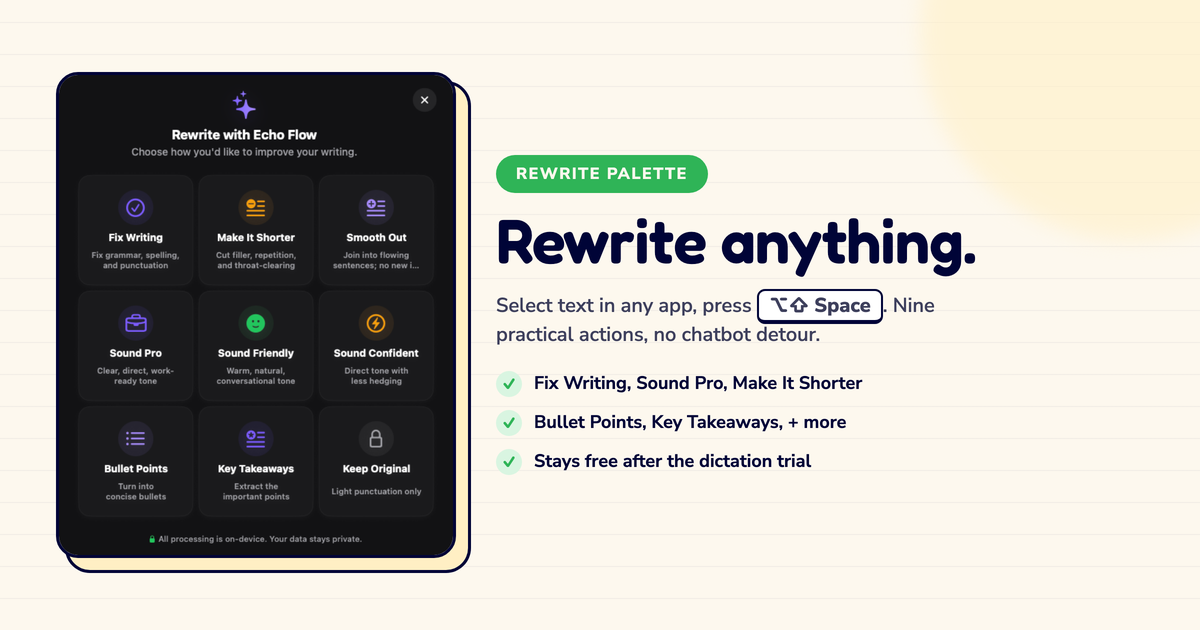
Snippets become much more useful when paired with rewrite actions and styles. Insert the structure, dictate rough details, then apply Sound Confident, Make It Shorter, Sound Pro, or a custom support style. Echo Flow connects those ideas through snippets and custom styles. The practical future is not one giant prompt. It is small reusable writing operations stacked neatly.
The forward view
Snippets become much more useful when paired with rewrite actions and styles. Insert the structure, dictate rough details, then apply Sound Confident, Make It Shorter, Sound Pro, or a custom support style.
Echo Flow already connects those ideas through snippets and custom styles. The practical future is not one giant prompt. It is small reusable writing operations stacked neatly.
I insert a snippet, dictate the details, apply "Sound Pro," and I'm done. Three steps, thirty seconds. That's the workflow I wanted when I was building template libraries.
The bottom line
Voice snippets work because they remove the retrieval tax from repeated writing. They should not turn humans into template dispensers. Automate the frame, not the voice. Use distinct cues. Keep the library small. Add placeholders where they save edits. Then dictate the substance like a person with a functioning pulse.
Build five voice snippets for the messages your team repeats weekly. If someone proposes fifty, hide the spreadsheet. I did. It was the right call.
Try Echo Flow free for 14 days · How to use snippets · See the rewrite palette
Sources
- McKinsey analysis of generative AI productivity: productivity potential in drafting and content work.
- Echo Flow's snippet system: spoken cues, placeholders, conservative matching.