
Echo Flow vs. Wispr Flow: An Honest Comparison
I tried Wispr Flow six months before I built Echo Flow. It was the first dictation app that made me think "oh, this is what people mean by AI writing." It's polished, well-funded, available across Mac, Windows, iOS, and Android. If you've been looking at dictation apps for more than a few minutes, you've probably seen it.
So yeah, I'm a fan. And I still think Echo Flow is the right tool for me. Let me explain why , honestly, not as a takedown.
Wispr Flow
The cross-platform incumbent
- Mac, Windows, iOS, Android , one tool everywhere
- Very polished, fast, well-funded
- Cloud sync of history and settings across devices
- Cloud processing , your audio and text leave the device
- Subscription pricing
- Account required
Echo Flow
The Mac-native private tool
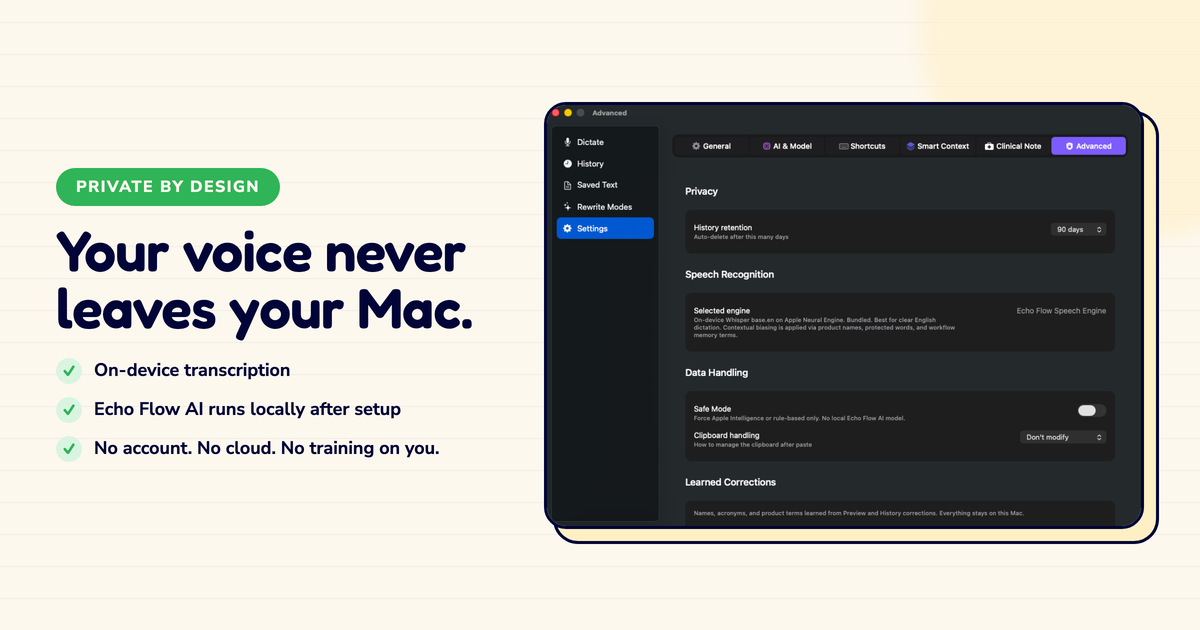
- Everything runs on your Mac , nothing leaves the device
- One-time purchase, no subscription, no account
- Per-app tone, local vocabulary, in-place rewriting
- Mac only , no Windows, iOS, or Android
- No cross-device sync by design
The question that decided it for me
Strip away the feature lists and most of the decision comes down to one question: what happens to your words after you speak them?
Wispr processes your dictation in the cloud. That's how it delivers strong accuracy, cross-device sync, and a consistent experience across platforms. It's also how it works: your audio and text travel to Wispr's servers, get processed, and come back as polished output.
For many people that's an acceptable trade. I had a freelance writer friend who uses Wispr for brainstorming blog posts , nothing sensitive, just ideas. For her, it's perfect. But for some kinds of work , legal strategy, medical notes, financial planning, anything with client confidentiality , it's not.
I learned this the hard way. I was dictating session notes for a consulting project, and mid-sentence I stopped. Wait, where does this go? Who processes this? I couldn't find a clear answer that satisfied my client's data policy. That was the day I started building something local.
✓
You work across Mac, Windows, and phone. Wispr is on all of them. Echo Flow is Mac only, full stop. If you dictate on a Windows PC or an iPhone, Wispr is the practical answer.
✓
You want your history and settings to follow you. Wispr syncs across devices. Echo Flow stores everything locally on one Mac by design.
✓
You do not want to think about privacy. If sending drafts to a cloud model does not bother you, Wispr's polish and reach are genuinely good.
Where Wispr Flow wins (I mean it)
This would be a dishonest post if I didn't say plainly: Wispr is the better choice for a lot of people, and the reasons are real.
I watched my coworker dictate on her Windows desktop in the morning, check her dictation history on her iPhone at lunch, and finish a draft on her Mac at home. Seamless. If that's your workflow, Wispr is the answer. Echo Flow can't do that. It's not trying to.
And Wispr's polish quality? Top-tier. When you're dictating a blog post or a casual email, it produces text that's genuinely hard to distinguish from a good cloud model. I was impressed.
4
Platforms Wispr runs on , Mac, Windows, iOS, Android. Echo Flow runs on one: Mac.
Where Echo Flow wins (from someone who chose it)
The case for Echo Flow is not that Wispr is bad. It's that a different set of priorities leads to a different tool.
✓
Your drafts are sensitive. Client emails, medical notes, legal strategy, financial work , if the content is confidential, "nothing leaves your Mac" is not a slogan, it is a requirement.
✓
You want to pay once and be done. Echo Flow is a one-time purchase with lifetime 1.x updates. No subscription, no recurring bill.
✓
You live in one Mac. If most of your serious writing happens on a single Mac, the cross-platform argument does not apply to you.
✓
You want per-app tone and in-place rewriting. Echo Flow adjusts tone to the app you are writing in and rewrites selected text in place without opening a sidebar.
The privacy question, plainly stated
Wispr's privacy policy governs what happens to your data, and you should read it. The architectural fact is simple: cloud dictation requires your audio and text to be processed on someone else's hardware.
Echo Flow's architecture is the opposite: there is no server, so there is no server policy to read. Your dictated audio is processed on your Mac, polished on your Mac, and stored on your Mac.
Here's what sold me: if I disappeared tomorrow, my copy of Echo Flow keeps working. It never depended on anyone's servers. That's not a marketing line , it's just how local software works. No server means no recurring infrastructure to fund, which is why the one-time purchase math works.
The honest framing
This is not a post about Wispr being unethical. Wispr is a good product making a reasonable trade for most users. This is a post about the users for whom that trade is not reasonable, and who are better served by a tool that never asks them to make it.
How I choose now (a practical framework)
If you dictate across Mac, Windows, and phone, or you're comfortable with cloud processing, Wispr Flow is an excellent choice and you should try it. My partner uses Wispr. She loves it. She dictates on three devices. It fits.
If you work mostly on one Mac, your writing is sensitive, and you'd rather own a tool than rent one, Echo Flow is built for exactly that. I use Echo Flow. I live in one Mac. My drafts are sensitive. It fits.
The choice is not about which app is better. It's about which set of trade-offs matches the work you actually do. I just wish someone had laid it out this plainly for me when I was deciding.
Choose Wispr if
You need cross-device sync, you're fine with cloud processing, or you dictate on Windows/phone regularly
Choose Echo Flow if
You live on one Mac, your drafts are sensitive, or you want to own your tool outright with no subscription
Try Echo Flow free for 14 days · See all comparisons · Why private dictation
Sources
- Wispr Flow: cross-platform AI dictation, cloud processing, subscription pricing.
- Echo Flow's architecture: on-device transcription and polishing, one-time $69.99/$139.99 purchase, no account, no server.