
Private Dictation · 7 min read
What On-Device Dictation Actually Means, and What It Does Not
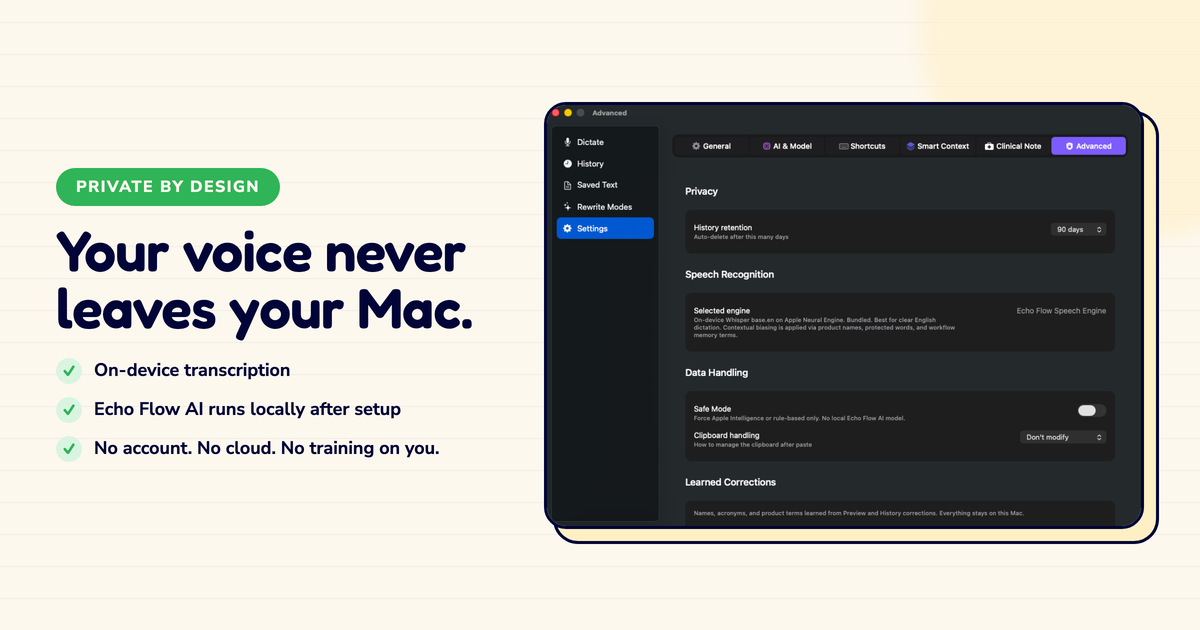
"On-device dictation" is a phrase that shows up in a lot of marketing, and it usually does not mean what you think it means.
I found this out the hard way. I was evaluating a dictation app last year , not Echo Flow, a competitor , and their homepage said "100% on-device." Great, I thought. Then I pulled the ethernet cable mid-dictation and watched the polish step fail. Turns out "on-device" meant transcription only. The polishing? That happened in the cloud. They just weren't leading with that.
So I want to give you the precise version, because if you dictate anything you would not want read back to you by a stranger, the precision matters.
Most "on-device dictation" claims are about job one. The transcription runs on your machine. That is good, and it is worth something.
But job two , the polish , is often where the cloud sneaks back in. Polishing well takes a bigger model than your laptop wants to run, and companies would rather run it on their servers than yours. So they keep transcription local (for the marketing) and polish in the cloud (for the quality).
I tested this with three different apps. Pulled the network cable. Two of them kept transcribing but stopped polishing. One of them just stopped entirely. None of them told me upfront that's how it worked.
If you want to know whether a dictation tool is truly on-device, ask one question: if I pull my network cable mid-dictation, does it still polish my text? If the answer is no, or "only sometimes," then job two is happening in the cloud. That is not necessarily wrong, but it should be stated plainly.
At minimum, on-device dictation should mean this: your audio is transcribed on your machine, your text is polished on your machine, and neither your audio nor your text is sent to a server to make that happen.
Everything that turns your speech into finished copy happens inside the app, on your hardware, under your control.
That's what Echo Flow does. Transcription runs via Apple's speech framework or a bundled local model. Polishing runs via a local model on Apple Silicon, or via on-device rules, or via Apple Intelligence on macOS 26 , all of it local, none of it phoning home. There is no account, no server to query, no cloud model holding your draft.
I pull the cable test myself, every few updates. Just to be sure. It still works.
It is not magic, and it is not free of trade-offs. A local model is smaller than the biggest cloud models, which means there are phrasing tasks it will not do as well as a giant server-side model.
If you want a tool to brainstorm a marketing campaign from a vague prompt, a cloud model may do that better. Echo Flow is not built for that. It is built for the job of turning the sentence you dictated into the sentence you meant, and for that job a local model is more than enough.
I learned this when I tried to use Echo Flow as a brainstorming partner. "Hey, give me 10 ideas for a blog post about productivity." It just stared at me. That's not what it does. It's a polish tool, not a creative partner. Once I understood that, I stopped being disappointed.
On-device also does not mean "works with no setup." You still need to grant microphone and accessibility permissions, because the app needs to hear you and to paste text into other apps. That is not a privacy problem , those permissions are local, they are listed in System Settings, and you can revoke them. But it is honest to say that on-device software still asks for permissions; it just does not ask for an account.
Here is the practical version. Dictation, by its nature, is used for the sentences you have not yet edited. The rough draft. The half-formed thought. The email you are composing in your head.
These are often the most sensitive things you write, because they are the least filtered.
If those drafts travel to a cloud server for polishing, then your most unfiltered writing is the writing most exposed. For a lot of people that is fine. For some professions , law, medicine, consulting, finance, anything with client confidentiality , it is a real problem, sometimes a contractual one.
I talked to a therapist who told me she stopped using a cloud dictation app after realizing her session notes were being processed on someone else's hardware. "I never signed up to share my clients' words with a server farm," she said. That stuck with me.
On-device dictation exists for exactly those people: the ones who want the polish without the exposure.
On-device dictation is not a marketing badge. It is an architectural commitment with real trade-offs: a smaller model, no cloud brainstorming, and the need to grant local permissions. In exchange, it gives you something that cloud dictation structurally cannot: the guarantee that your drafts stay yours.
If that guarantee matters to you, the trade is worth it. If it does not, a cloud tool may polish better. The point is to know which one you are choosing, and why.
I chose on-device. I sleep better.
Try Echo Flow free for 14 days · How polishing works locally · Why private dictation
Sources